 Spell Beasts
Teacher sign in
Spell Beasts
Teacher sign in
Teacher guide · 5 of 13
Inviting families
Families practise at home with the same code. Spell Beasts never contacts families itself: everything goes through your school’s own channels.
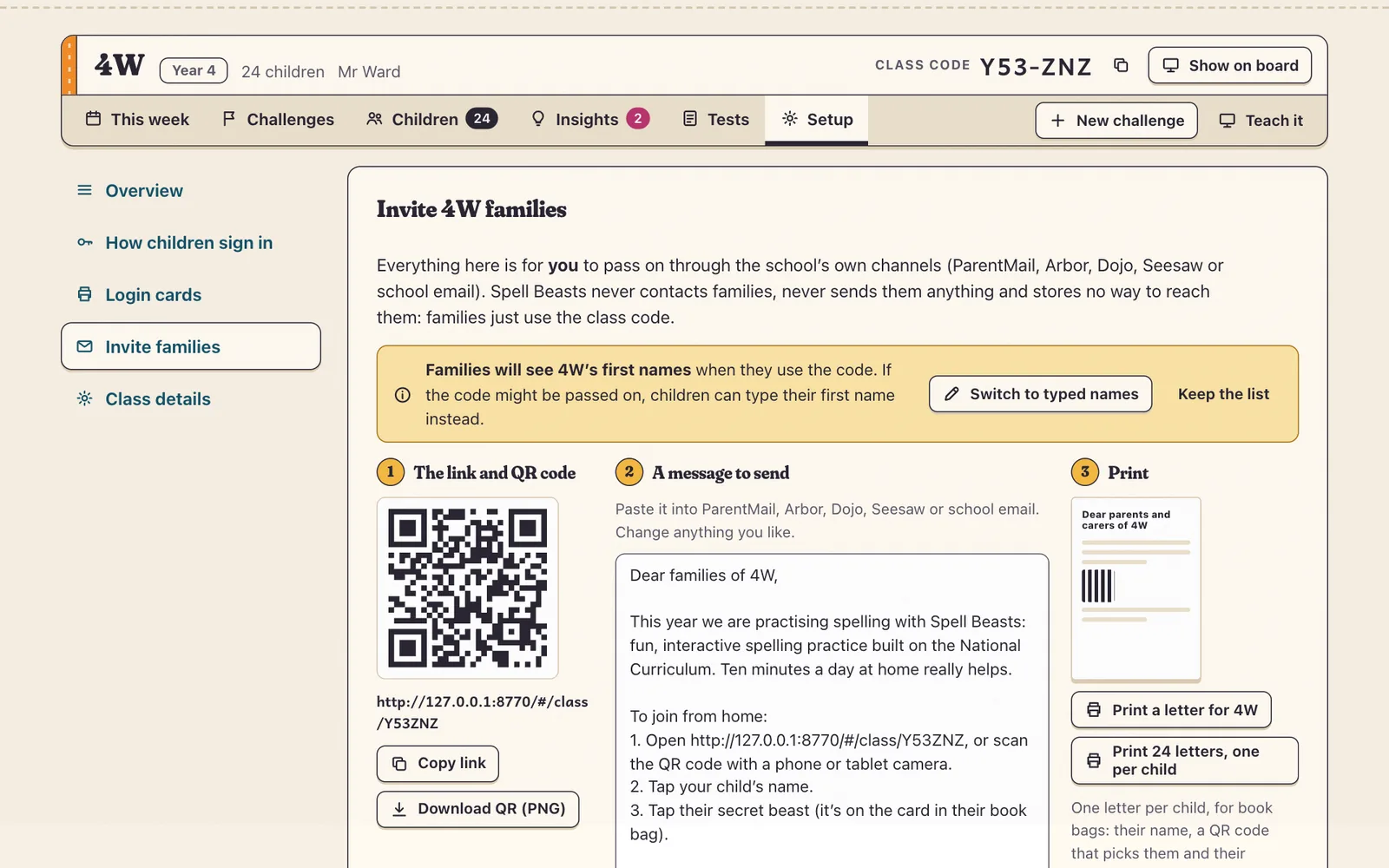
Open Setup › Invite families.
Copy the ready-made message, with your class link and code, into ParentMail, Arbor, Class Dojo, Seesaw or your school email.
Or download the QR code, or print a letter for the whole class or one for each child’s book bag.
School Admins can invite a whole year group at once from its Year page, using the year code.
Tip Practice at home counts in class: you’ll see it in your figures, marked as at home.